

Many organizations are increasingly concerned about data protection in their networking environments, and BitLocker provides a vital layer of security. By utilizing full disk encryption, you can safeguard sensitive information stored on your devices from unauthorized access and cyber threats. This tool not only protects your data in case of hardware theft but also offers seamless integration with Windows operating systems, making it easier for you to manage encryption policies. To explore more about this encryption solution, check out What is BitLocker? | Definition from TechTarget.
Key Takeaways:
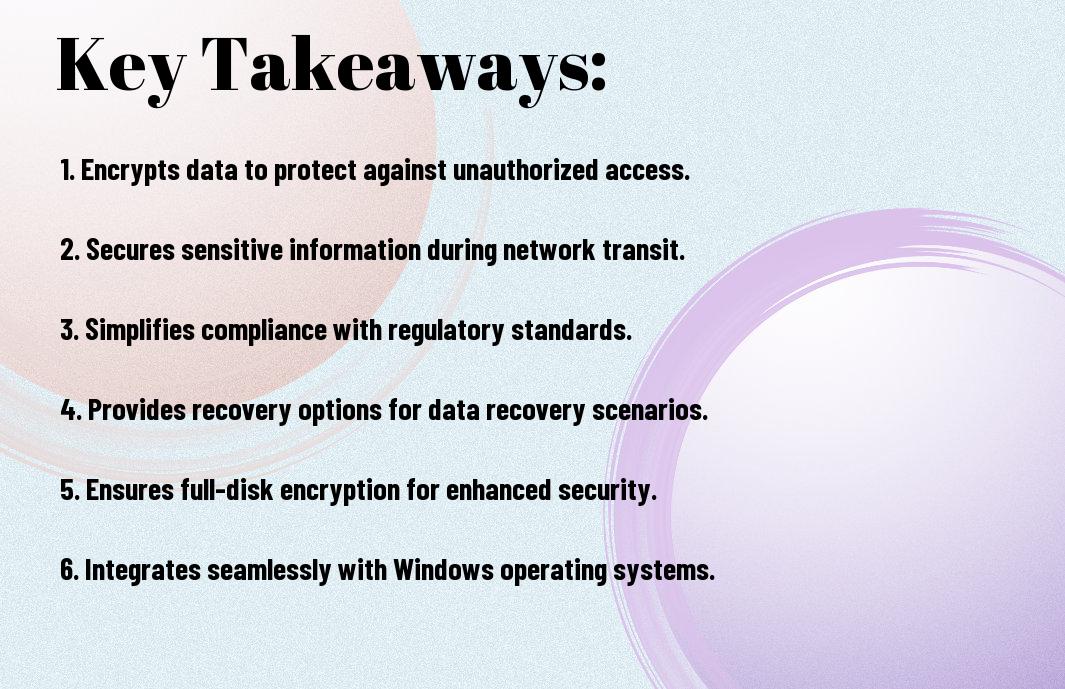
- BitLocker provides full disk encryption, safeguarding sensitive data from unauthorized access, especially in cases of lost or stolen devices.
- Integration with Windows operating systems allows for a seamless deployment of encryption policies across networks, enabling better management of security protocols.
- BitLocker supports multi-factor authentication, enhancing security by requiring additional verification methods before accessing encrypted drives.

Overview of BitLocker
A powerful encryption tool integrated within Windows operating systems, BitLocker protects sensitive data from unauthorized access. By encrypting entire disk drives, it ensures that your information remains safe even if the hardware is stolen or compromised. Understanding its functionalities can significantly enhance your organization’s approach to cybersecurity, particularly in networking environments.
What is BitLocker?
Alongside other security features, BitLocker enables you to encrypt your entire operating system drive, securing your data against breaches and theft. By utilizing advanced encryption standards, it ensures that only authenticated users can access your digital assets, making it a vital inclusion in your cybersecurity strategy.
Key Features of BitLocker
One of BitLocker’s standout features is its ability to effectively safeguard your data through robust encryption methods. Here are some key features:
- Full Disk Encryption – Protects all data on the drive.
- Pre-Boot Authentication – Requires authentication before system boot.
- Recovery Key – Provides recovery options in case of a forgotten password.
- Integration with Active Directory – Facilitates centralized management of recovery keys.
- BitLocker To Go – Allows encryption of removable drives.
Thou will find that these features combine to create a well-rounded security solution that can significantly bolster your data protection efforts.
Considering the implications of data breaches in today’s digital landscape, BitLocker’s features are important. Its full disk encryption not only secures your entire drive but also adds a layer of pre-boot authentication, thus ensuring that only authorized users can access the system. Additionally, the recovery key feature enables you to regain access to your information in emergencies. With integration with Active Directory, managing recovery keys becomes seamless, while BitLocker To Go ensures that even removable media is secured. Thou will find these attributes invaluable in safeguarding your network against potential threats.

Encryption and Data Protection
One of the primary benefits of using BitLocker is its capability to provide robust encryption, ensuring your sensitive data is protected from unauthorized access. This full-disk encryption feature secures your entire operating system drive, as well as any external drives, utilizing advanced encryption algorithms. By safeguarding your data, BitLocker helps mitigate risks associated with data breaches and unauthorized disclosures, ultimately ensuring your information remains confidential in your networking environments.
Importance of Encryption in Cybersecurity
By implementing encryption, you significantly strengthen your cybersecurity posture. Encryption transforms your data into a code that is unreadable without the proper decryption key, making it difficult for cybercriminals to access your sensitive information. This layer of security not only protects your data but also reinforces trust with clients and stakeholders, ensuring that your organization’s reputation remains intact.
How BitLocker Encrypts Data
Encryption through BitLocker occurs seamlessly in the background, allowing you to concentrate on your work without disruption. It employs the Advanced Encryption Standard (AES) with a key size of 128-bit or 256-bit, giving you versatile encryption options. Once activated, BitLocker encrypts your drive’s entire contents, ensuring that even if your computer was stolen, your data remains unreadable without the correct credentials.
A significant aspect of how BitLocker encrypts data is through its multiple encryption modes. The transparent operation mode allows for smooth user experience, requiring minimal interaction on your part. Moreover, BitLocker’s integration with your system BIOS enhances security by verifying the integrity of the startup components before unlocking the data. This not only protects against malicious software but also ensures that your data remains secure even in the face of potential cyber threats.
Impact on Network Security
For organizations looking to enhance their cybersecurity measures, BitLocker overview provides an necessary layer of protection. By encrypting your entire drive, it helps to secure sensitive data against unauthorized access during its lifecycle. This not only safeguards your information but also strengthens your network security posture against potential threats and vulnerabilities.
Preventing Unauthorized Access
About leveraging encryption, BitLocker ensures that only authorized users can access your sensitive data. By requiring authentication upon startup, it prevents unauthorized entities from gaining entry to your drives, significantly reducing the risk of data breaches and misuse.
Securing Data in Transit
One important aspect of cybersecurity is protecting data as it travels across networks. With BitLocker, you can encrypt data not only at rest but also during transmission, ensuring that your information remains protected from eavesdroppers and malicious actors.
Due to its effective encryption algorithms, BitLocker helps secure your data from potential interception or manipulation while in transit. This is particularly vital when transmitting sensitive information over unsecured networks, as it mitigates the risk of unauthorized access. By utilizing BitLocker’s capabilities, you ensure that your data maintains its confidentiality and integrity, significantly enhancing your overall network security.
Compliance with Regulations
After implementing BitLocker, you’ll find that it significantly aids in meeting various compliance requirements. Many regulations mandate data protection measures, and encryption is often a key component. By securing your sensitive data with BitLocker, you can demonstrate compliance with standards such as GDPR, HIPAA, and PCI-DSS, ensuring that your organization remains within legal boundaries and avoids hefty fines.
Meeting Industry Standards
With BitLocker, you ensure that your organization meets the industry standards necessary for data protection and security. This encryption tool aligns with best practices, safeguarding sensitive data against unauthorized access while enabling you to maintain the integrity of your operations. By employing BitLocker, you effortlessly comply with leading industry regulations.
Enhancing Audit Readiness
Readiness for audits is imperative for any organization aiming to showcase its commitment to data security. BitLocker naturally enhances your audit readiness by providing clear, verifiable encryption protocols that demonstrate your adherence to security policies. This transparency not only facilitates the audit process but also boosts your organization’s credibility and reliability when dealing with partners and clients.
To further solidify your audit readiness, BitLocker offers detailed reporting features that allow you to track encryption status and access logs effectively. By enabling consistent monitoring, you can quickly respond to any security breaches or compliance failures that may arise. Additionally, having your data encrypted with BitLocker ensures that you can provide concrete proof of your security measures, offering a solid defense in case of an audit. This level of preparedness not only enhances your compliance but also strengthens stakeholder trust in your organization.
User Experience and Management
To enhance user experience while ensuring robust security, BitLocker integrates seamlessly into Windows operating systems, enabling you to effortlessly secure your data without disrupting your workflow. The intuitive interface allows you to manage encryption directly through the Windows settings, simplifying the process for even the most non-technical users.
Ease of Use for End Users
Below, you will find that BitLocker is designed with end-user convenience in mind. Activation requires minimal input, and once set up, users can continue their activities normally. Notifications and prompts are user-friendly, making the experience seamless while ensuring data protection remains a top priority.
Centralized Management Options
By leveraging BitLocker, you gain access to centralized management options that streamline the encryption process across your organization. Through Windows Server, you can monitor and enforce BitLocker policies uniformly, ensuring consistency and compliance across all devices.
Management of BitLocker can be performed using tools like Active Directory and Microsoft Endpoint Manager, which allow you to remotely configure and monitor encryption settings on all devices within your network. This capability enhances your organization’s ability to maintain security standards while providing you with the ability to track recovery keys and encryption statuses efficiently. With centralized controls, you not only improve your security posture but also reduce the operational overhead associated with managing individual devices.
Limitations and Considerations
Keep in mind that while BitLocker offers important data protection, it is not a one-size-fits-all solution. You must assess your specific needs and potential challenges, such as compatibility with older systems and managing encryption keys effectively. Understanding these limitations will help you maximize your network’s cybersecurity posture.
Potential Drawbacks of BitLocker
The primary drawback of BitLocker lies in its reliance on the Windows operating system, limiting its use in diverse environments. Additionally, if you lose access to your recovery keys, your encrypted data may become permanently inaccessible, risking crucial information.
Best Practices for Implementation
Among the best practices for implementing BitLocker is ensuring that you enable it on all devices that store sensitive information. Regularly updating your recovery keys is important to prevent data inaccessibility, and always maintain backups of critical data in a secure location. Additionally, conduct user training to familiarize your team with BitLocker’s features and potential challenges.
To implement BitLocker effectively, you should develop a comprehensive encryption policy outlining which devices require encryption, and when it will be activated. Regular audits of your encryption compliance can help identify any gaps in security. Furthermore, engage in ongoing education for your users about the importance of maintaining security best practices. This proactive approach not only protects sensitive information but also fosters a culture of security awareness within your organization.
To wrap up
Summing up, BitLocker offers a robust layer of security for your network by encrypting your data, thereby protecting sensitive information from unauthorized access and potential breaches. With features like automatic encryption for new files and integration with your existing Windows operating system, you can ensure that your data remains secure without a complex setup. Additionally, it allows you to manage your encryption keys effectively, providing peace of mind that your network integrity is maintained. By implementing BitLocker, you enhance your cybersecurity posture and reinforce your defenses against cyber threats.
Q: What is BitLocker and how does it enhance cybersecurity for networking?
A: BitLocker is a disk encryption feature included in Windows operating systems that helps protect data from unauthorized access. By encrypting entire drives, BitLocker ensures that even if a device is lost or stolen, the data remains secure. In the context of networking, BitLocker provides a layer of security for sensitive data transmitted over the network, making it difficult for attackers to exploit or modify the information during transmission. This is especially beneficial for organizations that deal with confidential data or operate in industries subject to regulatory requirements.
Q: How does BitLocker contribute to data integrity and confidentiality in a networked environment?
A: BitLocker supports data integrity and confidentiality by encrypting files and preventing unauthorized users from accessing or altering sensitive information stored on devices connected to the network. The encryption process ensures that only authorized users with the correct credentials can access the data. If an unauthorized user attempts to access BitLocker-encrypted data, they will be presented with garbled information, rendering it useless. Furthermore, BitLocker’s integration with other security measures, such as network authentication protocols, helps assure that data remains secure while in transit across the network.
Q: What are the potential impacts of using BitLocker on a network’s overall security posture?
A: Utilizing BitLocker can significantly improve a network’s overall security posture by minimizing the risk of data breaches and unauthorized access. Organizations employing BitLocker are better equipped to comply with data protection laws and regulations, which can result in lower legal and financial risks. Additionally, the deployment of BitLocker can enhance user awareness about the importance of data security, encouraging personnel to adopt better security practices. As a result, networks that implement BitLocker can achieve a greater overall resilience to cyber threats.